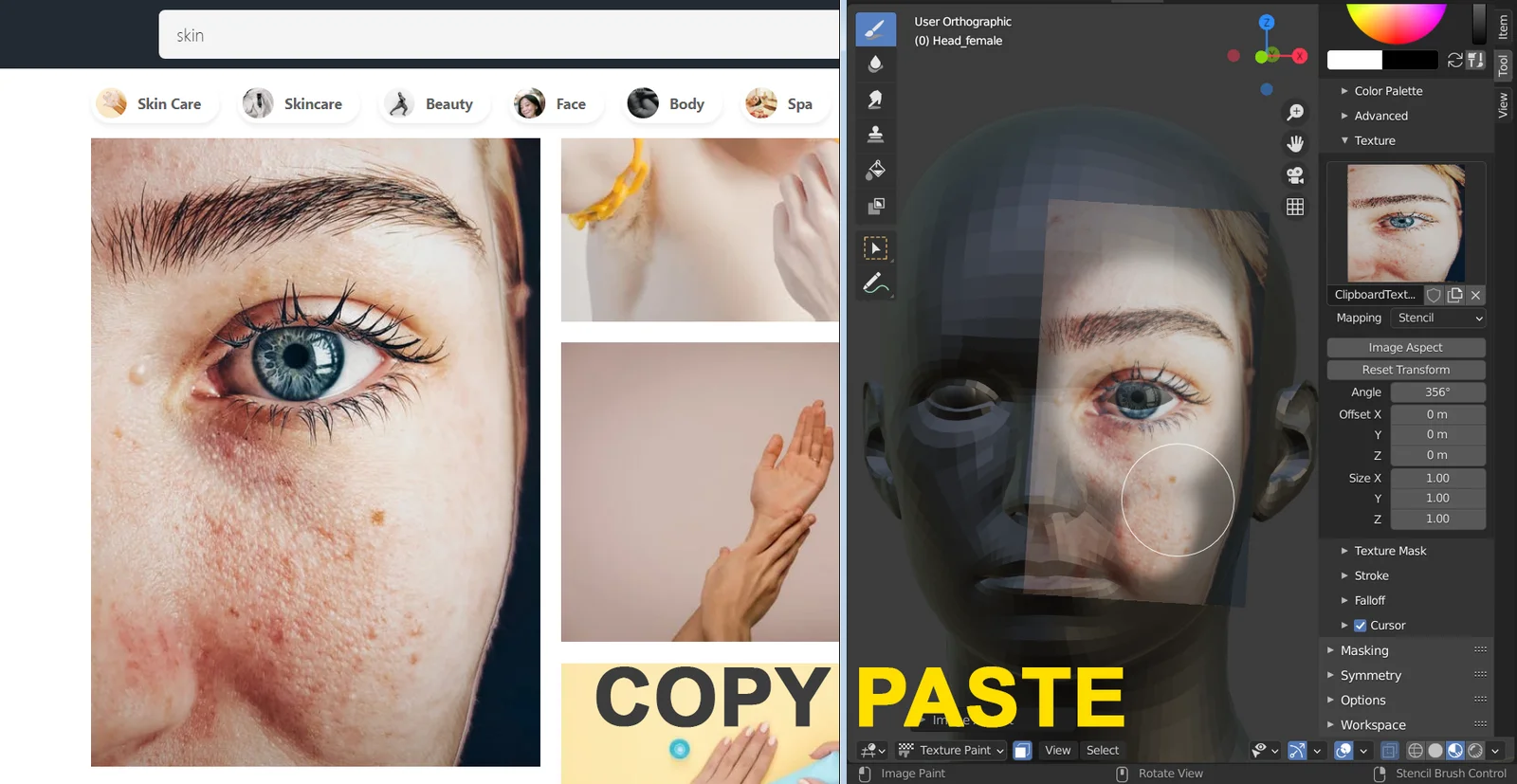
This add-on allows users to paste images directly from the system clipboard into Blender's Texture Paint mode using a keyboard shortcut. By copying an image from a web browser or 2D image editor, users can immediately paste it into the 3D Viewport or Image Editor. The tool assigns the image to a dedicated texture that updates automatically with each new paste, bypassing the need to save files manually to disk.
The tool accommodates stencil mode texturing by automatically adjusting to the pasted image's aspect ratio. Alpha channels are fully supported for transparent images. Please note that this add-on is restricted to Windows operating systems and requires the Python Imaging Library, which it will attempt to install automatically during its initial setup.
You might also like