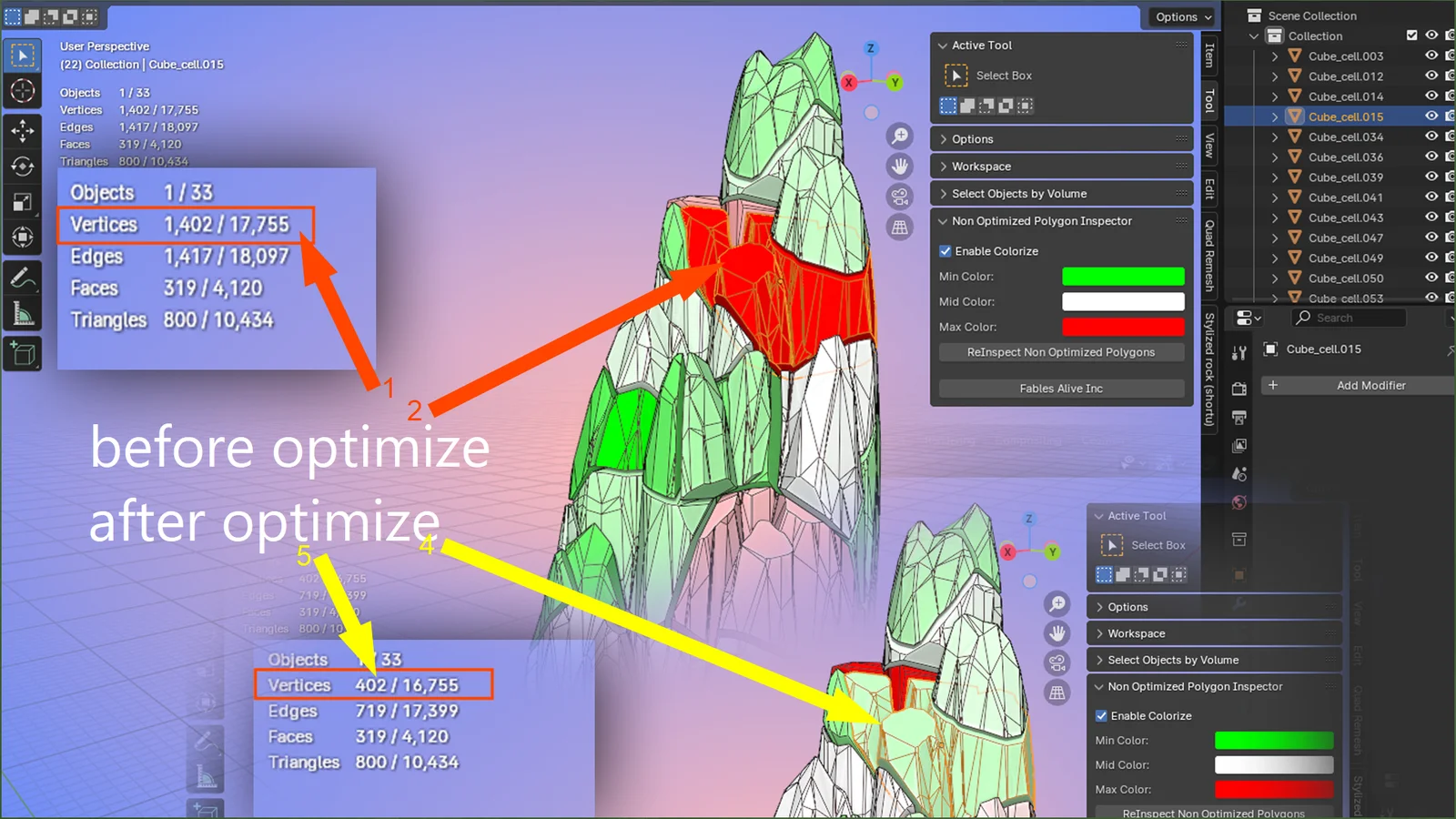
This addon visualizes polygon density across objects in a Blender scene to help identify unoptimized geometry. It applies a color-coded overlay where red indicates high-density, non-optimized polygons and green indicates lower-density geometry. The display threshold is evaluated relative to the overall polygon count of the scene, allowing artists to quickly locate areas that require retopology or decimation for real-time and game engine performance.
You might also like

5.0 Addon·$15

5.0 Addon·$9

Addon·€7.77

4.9 Addon·Free

5.0 Addon·$5

4.0 Addon·Free

4.9 Addon·Free

Addon·$15

Addon·$7


4.9 Addon·$11.95

5.0 Addon·$3