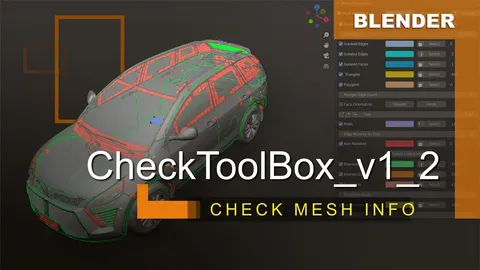
CheckToolBox provides real-time mesh topology inspection and error highlighting in Edit Mode. The tool visually identifies specific geometric properties such as poles, triangles, N-gons, doubles, and non-manifold geometry by applying shading color overlays directly onto the 3D model. It includes features to count isolated points, edges, faces, intersections, distortions, and degenerate polygons, as well as displaying face orientation.
Users can isolate and select specific error types using a dedicated selection tool. The add-on offers both manual and automated real-time refreshing intervals to update the topology analysis as the mesh is modified. It also provides an overview of project statistics, including total object counts and element counts for selected objects.
You might also like