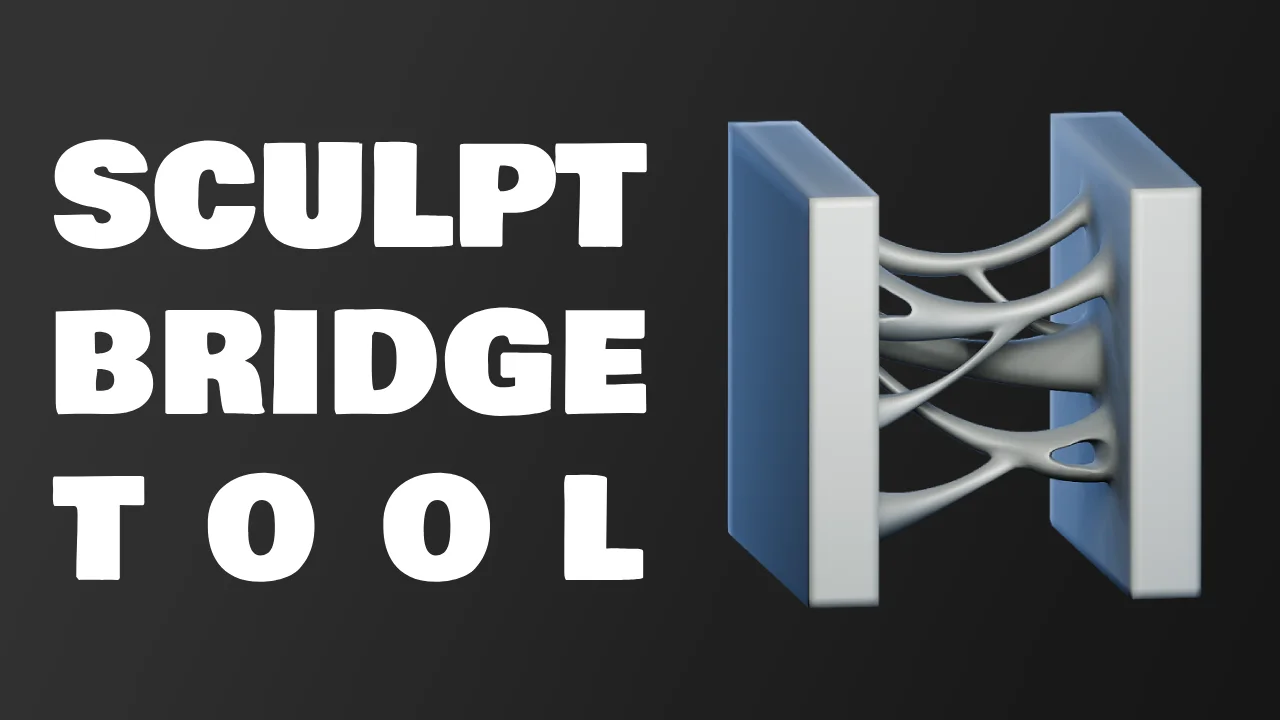
Sculpt Bridge Tool provides operators for creating bridges or punching holes directly within Blender's Sculpt Mode. It functions by utilizing facesets; after painting two facesets on a mesh, you can execute either the Bridge Tool or Punch Hole operator to connect or remove the defined areas.
The tool includes additional options for squeeze, gravity, and subdivision adjustments during the bridging process. A symmetry option is available, which requires the mesh to be perfectly symmetrical prior to use. It is installed by adding the provided .blend file to the Asset Library, making the tools accessible under the unassigned tools icon in Sculpt Mode.
You might also like

Geo Nodes·$10

4.5 Addon·$15

5.0 Addon·Free

5.0 Addon·Free


5.0 Geo Nodes·$1

5.0 Addon·Free

3.0 Geo Nodes·$2

4.9 Addon·Free


4.8 Addon·Free

4.7 Geo Nodes·$5

4.9 Addon·€20

Addon·$7