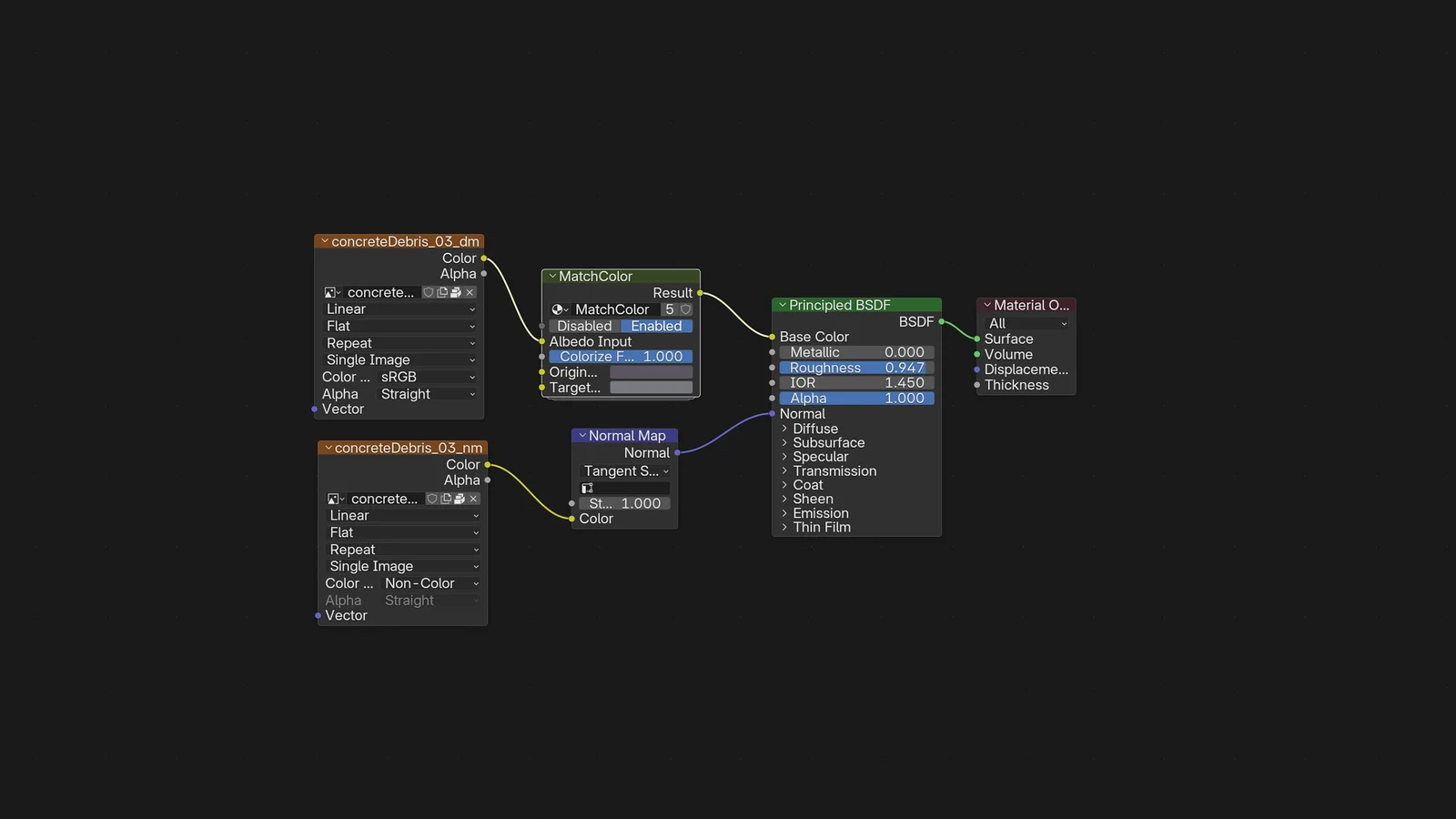
Match Color is an addon that streamlines adjusting material colors in the Shader Editor. By selecting an Image Texture node and initiating the tool, users are prompted to pick an original source color from their model and a desired target color from the viewport. The addon then automatically inserts and configures a non-destructive node group between the texture and the shader.
The tool includes an optional hints system that guides users through the selection process. If the operation is canceled at any step, the addon automatically removes the inserted node and restores the original node links. The function requires an active Image Texture node with its color output connected to the shader setup.
You might also like

Addon·$8

5.0 Shader·$5

5.0 Addon·$7.99

5.0 Addon·Free

Addon·$12

Addon·Free

5.0 Addon·$9

Addon·$10

5.0 Addon·$28

Addon·€3

5.0 Addon·$3.25

5.0 Addon·$8.99