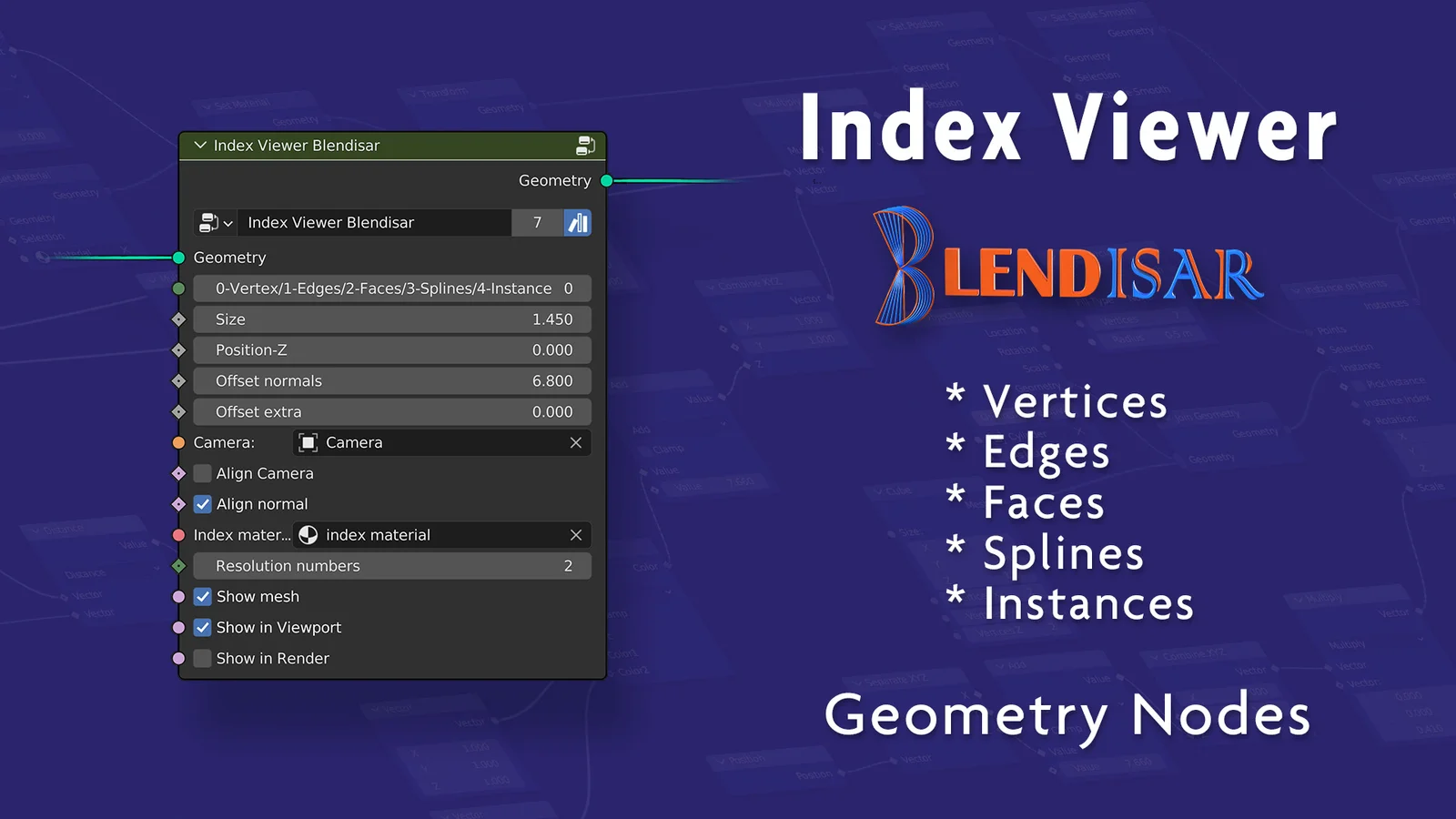
This Geometry Nodes setup allows users to visualize the index numbers of vertices, edges, faces, splines, and instances directly on their models. The tool provides customizable inputs to adjust the size, Z-position, and normal offsets of the displayed numbers to ensure visibility across different surface types.
Additional features include options to align the text to a selected camera or mesh normals, assign specific materials to the text, and downscale the resolution of the text geometry to maintain performance on dense meshes. Users can independently toggle the visibility of the text in the viewport and final render, and choose whether to display the base mesh underneath.
You might also like

5.0 Geo Nodes·$2

5.0 Geo Nodes·Free

5.0 Geo Nodes·Free

5.0 Addon·Free

Geo Nodes·$2
5.0 Geo Nodes·$2

Addon·$3
5.0 Geo Nodes·$1


5.0 Geo Nodes·Free

Geo Nodes·$4.99

Geo Nodes·Free