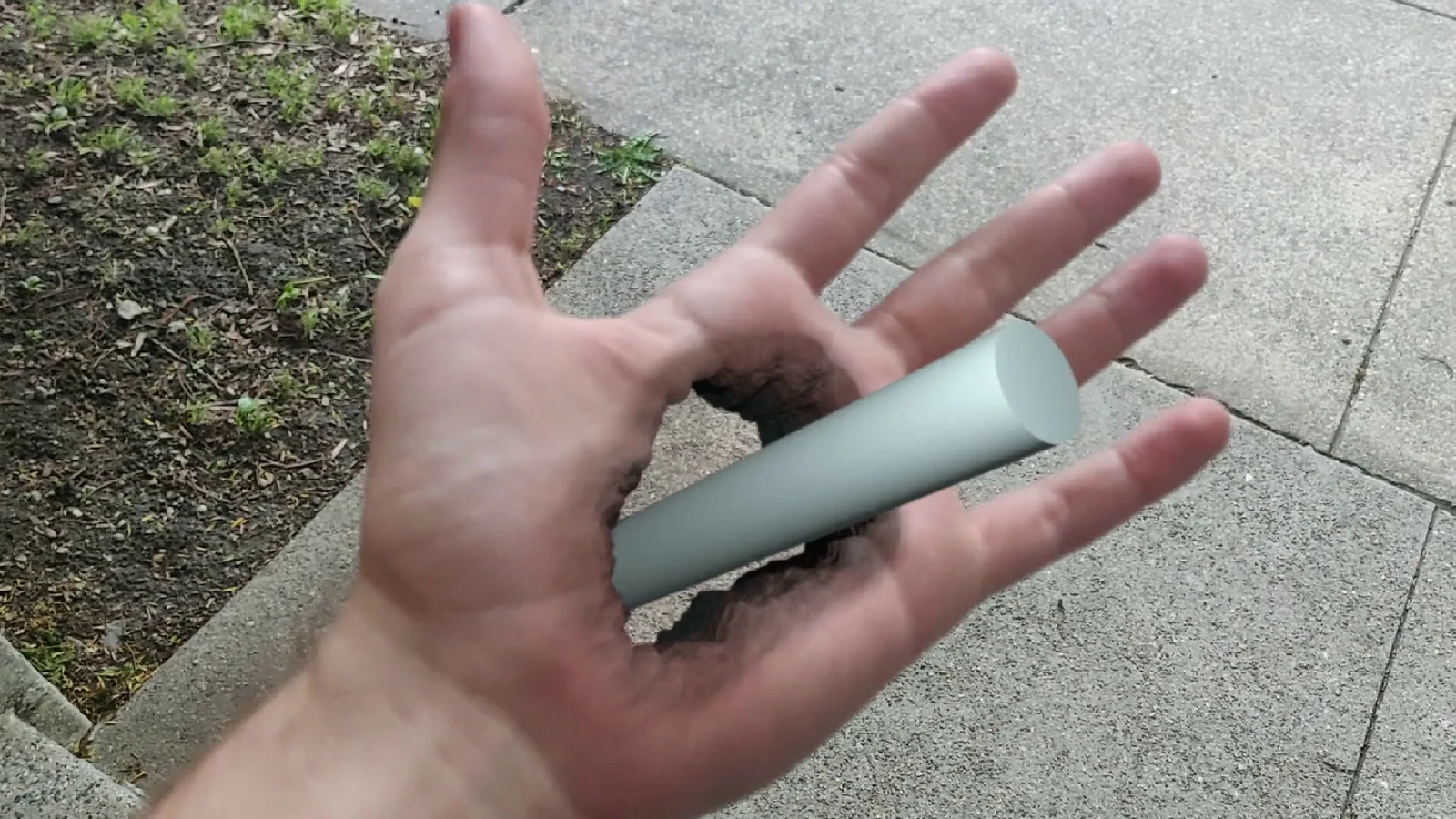
This is a two-hour video course that teaches the complete visual effects pipeline for creating a hole in a hand using Blender. It provides step-by-step instructions broken down into 11 distinct parts, guiding users through the entire process from raw footage to the final composite.
The curriculum covers footage processing, stabilization, markerless surface tracking, and camera alignment. It also details the required 3D workflows, including generating a cleanplate, modeling the hole geometry, UV unwrapping, and applying detailed shading to create an organic appearance. The course includes the original raw footage used in the demonstrations.
You might also like


Tutorial·$87
3.0 Tutorial·$40


5.0 Tutorial·$9

Tutorial·$30
5.0 Tutorial·$9

4.8 Tutorial·$60


4.3 Tutorial·$185

5.0 Tutorial·Free

3.3 Tutorial·€15


5.0 Tutorial·$4.20

5.0 Tutorial·$80


5.0 Tutorial·$9.99