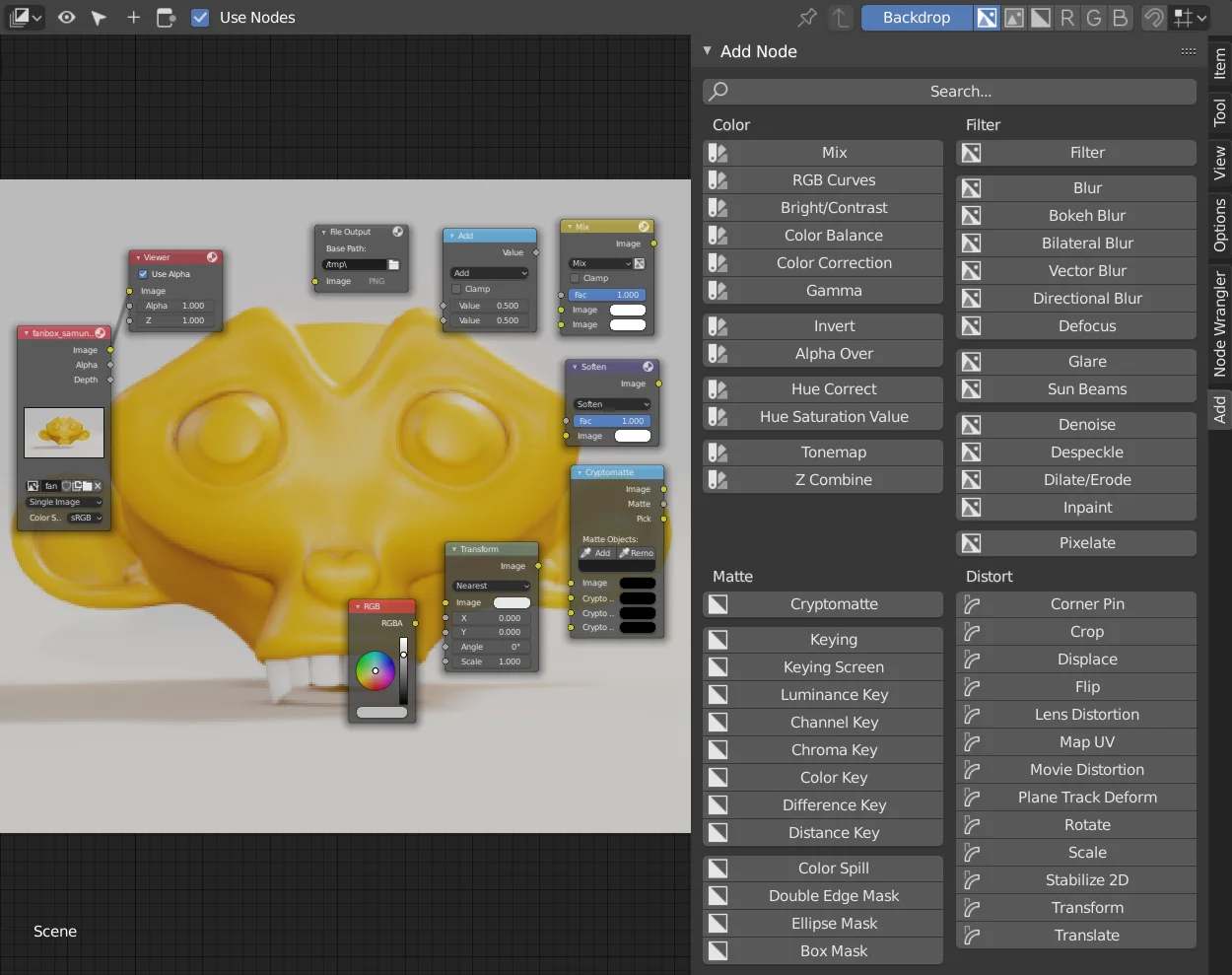
Add Node Panel Menu reorganizes the node addition process in Blender by classifying nodes based on their relationships and assigning distinct icons to each for quicker identification. It supports both shader nodes and composite nodes.
The tool provides multiple access methods including a dedicated panel in the Node Editor's side menu, a pop-up menu triggered by a hotkey combination, and a pie menu mapped to the right mouse button. This provides alternative ways to browse and select nodes when viewing the complete list of available options.
You might also like

5.0 Addon·$6.99

5.0 Addon·Free

Addon·$15

5.0 Addon·Free
Addon·Free

Addon·$5

Addon·$8


5.0 Addon·Free


5.0 Addon·$15
5.0 Addon·$10
5.0 Addon·€5