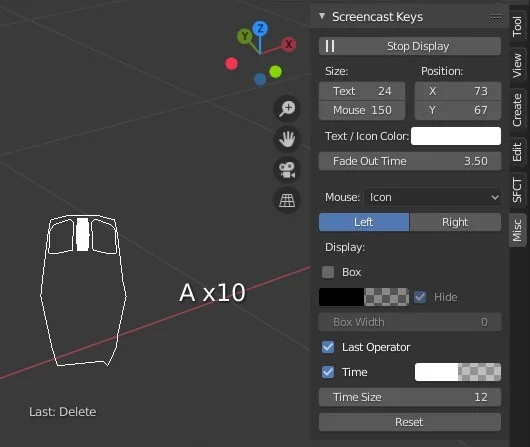
Screencast Keys is an add-on that visualizes keystrokes and mouse events directly within the 3D Viewport. It adds a control panel to the N-menu where users can toggle the display and customize its appearance. Options are provided to adjust the text and icon size, position, color, and fade-out time.
Users can choose to display mouse events as a positional icon, as text, or hide them entirely. The add-on also includes settings to modify the background box color, opacity, and width, as well as an option to display the last used operator below the main screencast output.
You might also like


Addon·$9.99

Addon·Free


5.0 Addon·€3.39

5.0 Addon·Free

4.9 Addon·Free

Addon·Free

5.0 Addon·$19.90

Addon·Free