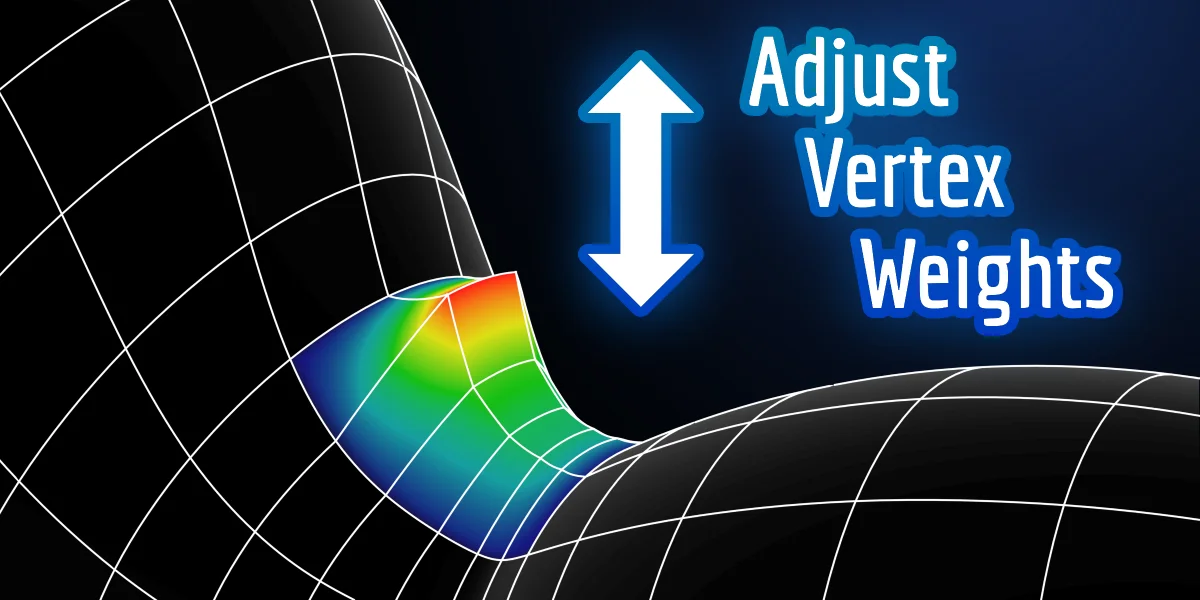
Adjust Vertex Weights provides an interactive method for modifying the weights of selected vertices. By activating the tool and dragging the mouse vertically, you can offset weights with automatic normalization applied in real time. This allows you to preview mesh deformations immediately, which is particularly useful when refining complex skinning areas like elbows and knees. Beyond armature skinning, the tool can be used to adjust weight groups for hair density, physics simulations, and modifier influences. It operates in both Weight Paint and Edit modes, and respects locked vertex groups to ensure that only the intended influences are modified.
You might also like

5.0 Addon·Free

4.8 Addon·$9.99

4.8 Addon·$26

5.0 Addon·Free

4.5 Addon·$3

5.0 Addon·Free

4.8 Addon·$17

5.0 Addon·Free
5.0 Addon·Free


Addon·€4.31

5.0 Addon·$5

5.0 Addon·$20